 Hive Mind
Hive Mind
Hive Mind
Open Minecraft and run the following command:
/connect traye.ddns.net

Once connected, type this in Minecraft chat:
.link
You will receive a Session ID in chat.

Go back to the Hive Mind login page and enter the Session ID into the box.
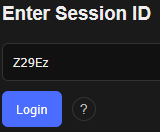
Click Login and you're connected!